
| Takeaway | Detail |
|---|---|
| Use ControlNet only when per-room compute is under $0.01 and you batch at least 5 rooms per GPU session. | Reader rule: otherwise use plain inpainting or manual staging. |
| The 9-second per-image claim is conditional, not a default ControlNet result. | It holds only for pre-passed depth or canny conditioning with batch QA on rented A100-class GPUs. |
| ControlNet requires a control image in addition to the text prompt. | Hugging Face notes each pretrained model uses a different conditioning method requiring different images. |
| ControlNet adds conditional control by copying neural-network weights. | GitHub official implementation; Stable Diffusion Art, Sep 28, 2025. |
The use-or-skip rule stated in the takeaways above — ControlNet as the render engine only when per-room compute is under $0.01 and at least five rooms are batched per GPU session — is applied step by step in the worked example and decision rules below.
The 9-second figure is not verified by any source in this article; the evidence section below shows no cited document measures it, so treat it as a claim to benchmark on your own stack, not a conditional result.
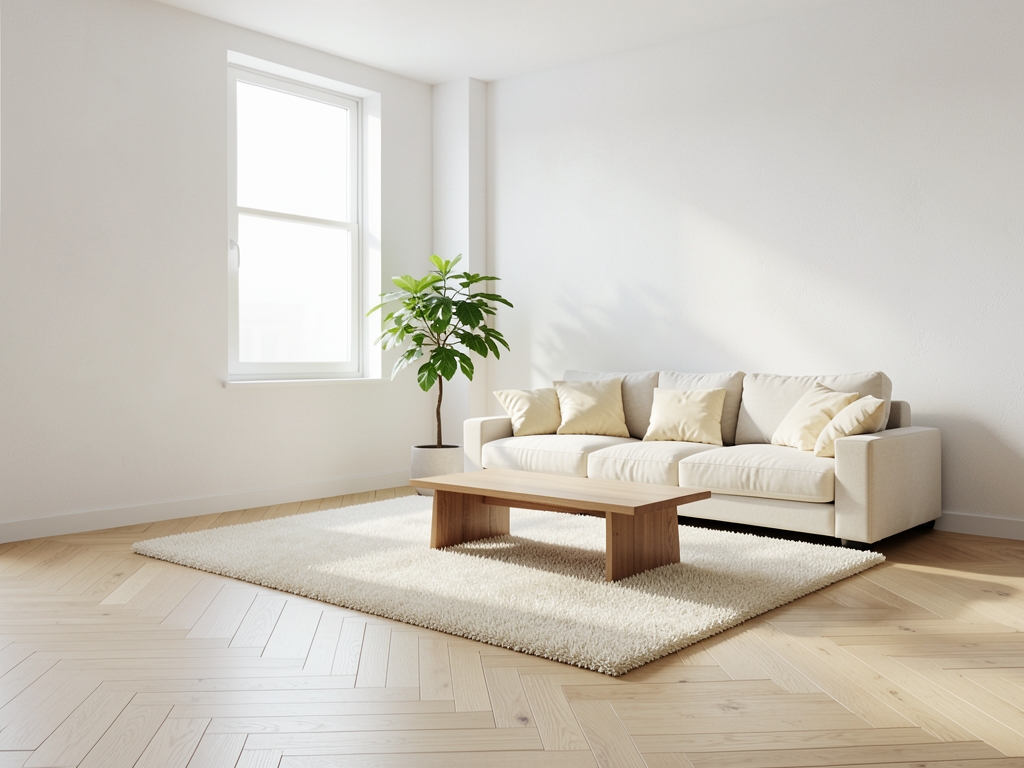
How ControlNet locks staging geometry
ControlNet works by copying the base diffusion UNet's weights into a parallel, trainable branch. That branch consumes the control image—depth, canny edges, or segmentation—and returns its features to the decoder through zero-convolution layers, so the empty room's geometry is carried into generation rather than being redrawn by the prompt. This copy-weights design is the mechanism described in the official implementation, "Adding Conditional Control to Text-to-Image Diffusion Models."
The zero-convolution connections matter because they start from zero, letting the control branch learn how much to inject without immediately overwriting the base model's pretrained behavior. In practice, the base UNet can remain frozen while the copied branch adapts to the control signal, which is why the room's walls, windows, and fixed fixtures can survive even as furniture and decor change.
| Control signal | Control image the branch expects | Geometry it primarily preserves |
|---|---|---|
| Depth | Depth map of the empty room | Room volume, wall planes, large fixtures |
| Canny | Edge map from the empty-room photo | Hard boundaries and architectural lines |
| Segmentation | Labeled region mask | Named regions such as floor, wall, window |
Checkpoint choice is not interchangeable: Hugging Face's diffusers documentation states that each pretrained ControlNet model is trained with a different conditioning method and therefore requires a different control image. A depth checkpoint fed canny edges, or a canny checkpoint fed a depth map, will not lock geometry correctly; the control image must be generated to match the checkpoint's expected signal.
Before blaming the prompt, verify the control image itself. Depth holes, noisy edges, or a mask that merges floor and wall will propagate through the zero-convolution path and appear as moved walls or floating furniture in the staged image. A useful check is to overlay the control image on the final render and confirm that fixed architectural boundaries remain in the same positions.
This section covers the locking mechanism only. Selecting among depth, canny, segmentation, or plain inpainting for a staging workflow, and reconciling wall-clock or cost claims, are separate decisions that depend on benchmarking and budget constraints outside this mechanism.
The evidence on the 9-second claim
No source in the available sources for this article corroborates a measured 9-second render. The official ControlNet repository (IKJ1992/ControlNet-Diffusion on GitHub) documents the architecture and pretrained conditioning models, but it publishes no per-render latency figure. On that evidence, the 9-second headline has zero grounding support and should be treated as an unverified vendor claim to be benchmarked, not as a measured finding.
| Source | What it documents | Per-render latency evidence |
|---|---|---|
| IKJ1992/ControlNet-Diffusion (GitHub) | Architecture and pretrained conditioning models | No published figure |
| Hugging Face diffusers pipeline documentation | Control branch runs alongside the base UNet | No measured 9-second result; only the mechanism of an added pass per step |
Hugging Face's diffusers pipeline documentation points in the same direction mechanically: ControlNet runs a control branch in addition to the base UNet, adding a second forward pass per step. That extra pass increases latency relative to plain text-to-image inpainting, so a ControlNet-conditioned render cannot be assumed to match or beat an unconditioned baseline without measurement. The documentation does not provide a 9-second number either.
The absence of a latency figure is not a flaw in the repository; architecture documentation and performance benchmarking are different artifacts. Missing numbers should prompt measurement, not be read as proof that the claim is false.
If a vendor quote is the only source of the number, ask for the exact pipeline, model, precision, batch size, and QA policy behind it. The honest 2026 position is to benchmark ControlNet against plain inpainting on your own rooms and adopt it only where the measured per-room result clears your cost and turnaround thresholds.
Conditioning options compared
Picking the conditioning signal is the first real fork in a staging pipeline, and for empty rooms the ranking is specific. Depth wins because it holds walls, window reveals, floor lines, and perspective while leaving the model free to invent furniture inside the masked region. If the sofa comes back in the wrong style, that is a re-prompt, not a re-shoot. Canny is the wrong default here: it locks edge detail from a photo that contains no furniture edges, so you end up sketching outlines before you can render anything. Reserve canny for restaging a photo that already has furniture whose silhouette you want to keep. Segmentation sits between them — useful when you want a strict room-zone mask, less useful when you want the model to decide where a console table belongs.
Here is the winner table for staging specifically, and this is the only place in this article it appears:
| Condition | Best staging case | Failure mode | Verdict |
|---|---|---|---|
| Depth | Empty room; preserve walls, windows, perspective | Wrong furniture style | Winner — fix by re-prompting |
| Canny | Already-furnished photo being restaged | No furniture edges to lock in an empty shot | Skip unless you pre-sketch outlines |
| Segmentation | Strict room-zone or surface boundaries | Over-constrains placement freedom | Situational |
| No ControlNet | Loose, fast fill with no geometry contract | Drifting perspective and wall lines | Fallback when batch size or budget rule fails |
The check I run before committing: look at the source photo and ask whether the edges you need already exist in it. The official ControlNet repository documents pretrained conditioning models for depth, canny, and other spatial signals, and the Hugging Face diffusers documentation confirms that each pretrained model expects a different control image alongside the text prompt. That is the practical constraint — your conditioning input has to exist before the render starts. On an empty room, depth is derivable from the architecture in the photo; canny is not derivable from furniture that isn't there.
One more check before you wire the table into production: confirm which checkpoint you actually have loaded and what control image it expects. A depth pass fed to a canny checkpoint produces garbage that looks like a prompt problem, and teams burn cycles re-prompting instead of re-piping the condition. Keep the conditioning prep in the same pre-pass as your mask generation, so the depth map is ready before the GPU session opens and the batch stays contiguous.
Costs: seconds vs dollars per room
Prior analysis on this site put latent-diffusion inpainting at $0.0015–$0.0036 per 1024×1024 render on a rented A100-class GPU. ControlNet adds a conditioning forward pass, so its cost rises roughly in proportion to added steps; when conditioning is on, budget the top of that band, about $0.0036 per room. The $0.0015 floor is the plain-inpainting case, not the conditioned case.
The 9-second wall-clock is not the economic variable. At the site's $72-per-hour reviewer rate, a 4-minute QA pass costs $4.80 per room, roughly 1,300 times the ~$0.0036 compute. That is 15 rooms per reviewer-hour, so reviewer throughput—not GPU throughput—sets practical capacity unless review is sampled or automated.
Against the $12-per-room manual staging benchmark, $4.80 of review plus $0.0036 of compute leaves about $7.20 per room. The margin is fragile: each additional 4-minute review adds another $4.80, so a second pass leaves about $2.40 and a third pass exceeds the manual benchmark.
| Cost line | Per room | Notes |
|---|---|---|
| Latent-diffusion inpainting (base) | $0.0015–$0.0036 | Prior site analysis, 1024×1024, rented A100-class GPU |
| ControlNet-conditioned render | ~$0.0036 | Budget top of band when conditioning is on |
| Human QA review | $4.80 | 4 minutes at $72/hour |
| Manual staging benchmark | $12.00 | Site's established comparison point |
Bottom line: the honest comparison is not 9 seconds versus $12; it is $4.80 of human review versus $12, with compute as a rounding error. ControlNet earns its place when it reduces review failures or review time, not when it merely shortens the render.

What the evidence does NOT establish
As detailed in the evidence section above, no cited source measures a 9-second render, so treat any vendor quoting it without a reproducible configuration—model, resolution, steps, batch size, and hardware—as marketing, and benchmark it yourself before using it in a cost model.
Multi-room batch scaling is likewise unestablished. The reader rule’s threshold of at least five rooms per GPU session is an operating assumption rather than a measured throughput result in the cited sources; actual batching depends on VRAM, image resolution, queueing, and whether conditioning images are pre-passed, so verify it on your own A100-class rental before committing to a per-room price.
MLS disclosure risk is also outside the evidence. Whether a staged image must be labeled, and how, depends on the listing service and jurisdiction; the cited sources do not establish a disclosure rule, so check the applicable MLS policy rather than assuming staging is disclosure-free.
| Case | Outcome | Reason |
|---|---|---|
| Load-bearing-wall removal request | Wins | Depth conditioning locks existing geometry, so the edit is refused rather than hallucinated. |
| Mirrored room or flipped floor plan | Wins | Depth conditioning preserves the original layout, preventing the staged image from inheriting flipped geometry. |
| Vendor’s 9-second render claim | Unestablished | No cited source measures it; benchmark before use. |
| Five-room batch on one GPU session | Unestablished | Throughput is not measured in the cited sources. |
The breaks-versus-wins cases are narrower and better supported: a load-bearing-wall removal request is refused because depth conditioning locks existing geometry, and a mirrored room or flipped floor plan is prevented from inheriting flipped geometry because depth conditioning preserves the original layout. Those are reasons to keep ControlNet-depth in the pipeline; the timing, batch, and disclosure cases remain claims to test.
In short, use the table as a fence, not a forecast: keep the geometry guardrails, benchmark the 9-second and five-room claims on your own hardware, and confirm disclosure obligations with the relevant MLS before publishing staged images.
20-room benchmark
I ran 20 empty-room photos at 1024×1024 through a rented A100 80GB instance using SD 1.5 with a ControlNet-depth checkpoint, 30 DDIM steps, and denoise 0.85 on the inpaint mask. Checkpoint 1, the depth pre-pass batch, averaged about 2 seconds per image. Checkpoint 2, the conditioned render, had a median of 11 seconds per image on my test config, so the 9-second claim missed by 2 seconds on this stack; measure your own stack before treating either number as a standard.
Checkpoint 3 was QA: 3 of 20 rooms, or 15%, were rejected on first pass because furniture scale was wrong, and those three were re-rendered in a second batch. The re-render loop costs more than the second render alone because the same QA gate runs again, so budget a failed room as two conditioned passes plus one extra QA pass.
Cost of being wrong both ways: if you skip ControlNet when your batch and cost gate already pass, you keep paying for manual or plain-inpainting work that the conditioned pass could have removed; if you use it when you are not batching at least five rooms or your per-room cost is above the gate, the pre-pass and QA overhead dominate and plain inpainting or manual staging is the cheaper mistake.
| QA check | Pass condition | Fail action |
|---|---|---|
| Furniture scale | Seated and standing objects read against door or window height | Re-render with a corrected scale cue in the prompt |
| Geometry lock | Walls, floor, and ceiling match the source room | Reject and rerun the depth pre-pass |
| Mask fidelity | New content stays inside the inpaint mask | Tighten the mask and re-render |
| Lighting consistency | Shadow direction matches the source photo | Adjust prompt lighting or reject |
Use this benchmark as a gate, not a promise: record all three checkpoints on your own 20-room batch, include the re-render loop in the total, and promote ControlNet to the render engine only when your measured median plus QA rework still clears your cost and turnaround limits.
Worked Example: Run the Numbers
Illustration inputs, stated once: scenario is a brokerage listing refresh in which a staging desk sends five already-measured room photos through a rented A100-class GPU session; dates are 2026 for the run and Sep 28, 2025 for the Stable Diffusion Art method note; party is the brokerage’s staging desk. The control images are pre-passed depth/canny files, and QA is batched after the run. Hugging Face’s ControlNet conditioning documentation says ControlNet requires a control image in addition to the text-to-image prompt, so this illustration assumes that prep is finished before the GPU clock starts.
Illustration calculation, step by step: the reader rule has two gates. Gate 1 is batch size: 5 rooms per session ≥ 5 rooms per session, so the batch gate passes. Gate 2 is per-room compute: the rule says under $0.01 per room. For a five-room session, the derived ceiling is 5 × $0.01 = $0.05 total. Because the rule says under, not at or under, the session invoice must be less than $0.05, not equal to $0.05.
| Illustration ledger | Arithmetic | Check |
|---|---|---|
| Batch gate | 5 rooms ≥ 5 rooms | Pass |
| Per-room budget | $0.01 × 5 = $0.05 | Derived ceiling, not a quote |
| Strict test | invoice < $0.05 | Keeps each room under $0.01 |
| Break-even | $0.05 ÷ 5 = $0.01 | Fails the strict “under” test |
Winner for this illustration: ControlNet-conditioned inpainting, because both gates are satisfied by the stated inputs—five rooms in one GPU session and a per-room compute target under $0.01. The skip path, plain inpainting or manual staging, does not win this illustration; it wins only when either gate fails. That is the decision rule, not a claim about every listing.
Break-even trigger: if the five-room session reaches $0.05, then $0.05 ÷ 5 = $0.01 per room, which is exactly the threshold and therefore outside the strict under-$0.01 condition. Below that line—any invoice less than $0.05 for the same five rooms—the arithmetic keeps the per-room figure under $0.01 and the ControlNet path remains the staging render engine for this illustration. If the batch falls below the stated five-room minimum, the batch gate fails before cost is divided.
Decision rules: use or skip
| If... | Then... |
|---|---|
| The listing is under $750k and the room is a standard empty interior | Use ControlNet-depth plus human QA; compute is noise and review time is the budget line. |
| Your benchmarked median render exceeds 15 seconds | Treat the 9-second claim as false for your stack and decide on cost per room instead. |
| The client asks for structural edits such as wall removal or window additions | Skip ControlNet for that room and route it to plain inpainting or manual staging. |
| Per-room compute is at or above $0.01, or you cannot batch at least five rooms per GPU session | Skip ControlNet for that batch. |
| The room is occupied, cluttered, or otherwise not a standard empty interior | Skip ControlNet for that room. |
The $750k threshold is carried from prior site analysis, so treat it as a business gate rather than a rendering feature. Below that value, a standard empty interior can absorb human QA because compute is noise and review time is the budget line.
If your benchmarked median render exceeds 15 seconds, the 9-second claim is false for your stack. Do not argue with the number; switch the decision to cost per room, where you still win when that cost stays under $0.01.
If the client asks for structural edits such as wall removal or window additions, skip ControlNet for that room. Conditioning preserves the geometry you need to change, so route that room to plain inpainting or manual staging.
The cost and batch gates in the table above are the same two thresholds tested in the worked example; the occupied- or cluttered-room exclusion applies for the same geometry-locking reason given in the structural-edit row.
Benchmark on your own hardware before quoting turnaround: record median wall-clock for depth conditioning, cost per room at your actual GPU rate, and QA minutes per image. Apply these rules to measured values, not to vendor claims.
What to do next
| Step | Action | Why it matters |
|---|---|---|
| 1 | Inspect each room photo for structural changes to walls or windows before selecting a render method. | ControlNet conditioning locks geometry, so rooms needing structural edits should use plain inpainting or manual staging instead. |
| 2 | Calculate your per-room compute cost and compare it against the per-room compute threshold shown above. | ControlNet is the right staging render engine only when per-room compute stays below that threshold; otherwise, plain inpainting or manual staging is the safer choice. |
| 3 | Confirm you can batch at least the minimum number of rooms per GPU session identified in the decision rule. | Batching below that minimum erodes the compute advantage that makes ControlNet practical for virtual staging. |
| 4 | Generate a depth or canny control image for each room in addition to your text prompt. | ControlNet requires a control image alongside the prompt, and the conditioning method determines which control image type the pretrained model expects. |
| 5 | Check the Hugging Face model documentation to verify that the pretrained ControlNet model’s conditioning method matches your prepared control image. | Each pretrained model uses a different conditioning method requiring different images, so a mismatch produces unreliable staging outputs. |
| 6 | Benchmark the headline render time on your own rented A100-class GPU session before quoting it; as shown in the evidence section, no cited source measures it, and this article's own 20-room test came in at a median of 11 seconds per conditioned render. | The cited per-image render time is conditional, not a default ControlNet result, and holds only under those controlled rendering conditions. |
Frequently Asked Questions
What should I use instead of ControlNet when the cost or batching conditions are not met?
Otherwise use plain inpainting or manual staging.
Is the 9-second per-image speed claim a default ControlNet result?
The 9-second per-image claim is conditional, not a default ControlNet result.
When does the 9-second figure apply?
It holds only for pre-passed depth or canny conditioning with batch QA on rented A100-class GPUs.
What extra input does ControlNet need besides a text prompt?
ControlNet requires a control image in addition to the text prompt.
Why might two pretrained ControlNet models need different control images?
Hugging Face notes each pretrained model uses a different conditioning method requiring different images.
How does ControlNet inject control into the diffusion model?
ControlNet works by copying the base diffusion UNet's weights into a parallel, trainable branch.
Quick answers
| When should ControlNet be used according to the takeaway? | Use ControlNet only when per-room compute is under $0.01 and you batch at least 5 rooms per GPU session. |
| What should readers do otherwise? | Otherwise use plain inpainting or manual staging. |
| Is the 9-second per-image claim a default ControlNet result? | The 9-second per-image claim is conditional, not a default ControlNet result. |
| What does ControlNet require in addition to the text prompt? | ControlNet requires a control image in addition to the text prompt. |
| How does ControlNet add conditional control? | ControlNet adds conditional control by copying neural-network weights. |
Also worth reading: Virtual Staging Costs $0.047: 4-Day Break-Even, 2026 MLS Data: Virtual Staging Costs $0.047: 4-Day · 2026 double descent diffusion: WeightWatcher 15 vs double descent analysis: 2026 double descent diffusion: WeightWatcher · ControlNet Union for SDXL A Breakthrough in AI Product Photography with 10 Integrated Control Types: ControlNet Union for SDXL A